👋 Welcome!
We’re so glad you’ve joined the most vibrant, impactful, and collaborative coworking community in Hawaiʻi. Please take a moment to read through this email — it has everything you need to get started strong.
💼 Your Membership Summary
✅ First Things First: Member Portal Setup
👉 Sign in to the Member Portal (link at the very bottom expires in 72 hours)
Once inside, please:
- 👤 Complete your profile (add a photo to help others recognize you!)
- 🏢 Add your company and contact details
- 💳 Enter your payment info under Billing > Payment Details
- 👥 Invite your team if applicable
- 📌 Bookmark the portal — you’ll use it for bookings, invoices, and more
🕒 Hours of Operations
- Hub Queen St. and Sandbox:
9a-5p, M-F standard operating hours, 2a-12a for members with extended hours access pla
- Waikīkī Hub:
Everyone has access 2a-12a daily. This location is a self-served location and is not staffed.
- All spaces are closed 12a-2a daily. No members should be in the spaces during this time.
🅿️ Parking Info
- Waikīkī : 4-hour validation for members. Guests pay regular rates. Validations are only to be used when working in the space.
2330 Kalakaua Ave Ste #248, Honolulu, HI 96815
- Queen St.: $0.50/hour with validation (or public parking in the area).
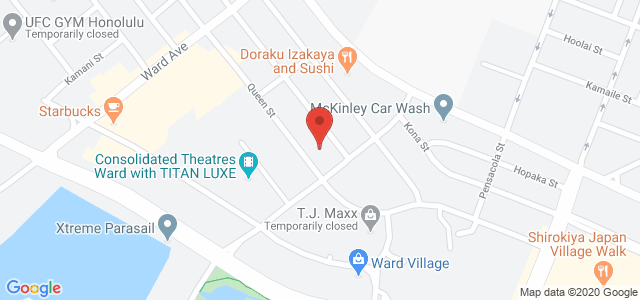
1050 Queen St. #100, Honolulu, HI 96814
- Sandbox: Free member parking (limited). Overflow: $1.05/hour.
643 Ilalo St, Honolulu, HI 96813
🛜 Wi-Fi
- Hub Queen St. and Waikīkī Hub:
Network: #hubcoworking
Password: #impactful - Sandbox:
Network: Sandbox
Password: Please check at front desk
🔑 Door Access
- Look for an email from Brivo about 20 minutes before your plan starts.
- Your digital key is tied to your mobile device. If you uninstall the Brivo app or get a new phone, we will need to issue you new digital keys.
- Hub Queen St. and Waikīkī Hub:
Ensure you’re on our Wi-Fi before using the app to unlock doors. - Sandbox:
All doors are always locked, so you will need to have Brivo set up to enter.
📜 House Rules & Etiquette
- 🤝 Member Agreement – A quick guide to do’s and don’ts
- 📲 Check-in every time you arrive via the app or porta
- 🎧 Please be considerate of others and use inside voices or hop into a phone booth. No speakerphone calls.
- 🗓️ Meeting Rooms must be booked, even after hours. Members with After Hours Access can self-book via app. For others, contact us
- 👥 Guests – Max 3 at a time, up to 2 hours/day, once per week. (More than that? Time to get them a membership or a day pass!) Memberships are for individual members and are not sharable or transferable.
- 🚫 Stay home if feeling sick
🤝Onboarding: Let’s Meet!
- 📅 Please book your in-person onboarding session HERE.
This quick meeting helps us get to know you and ensure you’re maximizing your membership. - Waikīkī Hub members do not need an onboarding — you’ll get a Brivo email for door access setup instead
💬 Stay Connected
- 🌐 Join our Mighty Networks Hub Hub to connect, post, and collaborate
- 💡 Have feedback? Help us help you — please take 10 minutes to complete this survey. It truly helps us improve.
- 📝Review Having a great experience? Let us (and the world) know! Drop us a Google review — it’s fast, free, and helps us support more dreamers and doers.
🔄 Need to Change Plans?
All memberships are month-to-month. Just send us a message here to make changes.
Need to cancel your dedicated desk or office? Just give us 30 days’ notice.
❓ Still Have Questions?
Check out our FAQs — they probably have your answer!
Thank you for joining Hub Coworking Hawaii 🙌. We’re here to support what makes you feel alive. The world’s better for it.
With Aloha,
The Hub Coworking Hawaiʻi Team
📧 members@hubcoworkinghi.com
🌐 hubcoworkinghi.com
📱 Download Hub App
📸 @HubCoworkingHI on Instagram & Facebook
📩 Subscribe to our Newsletter